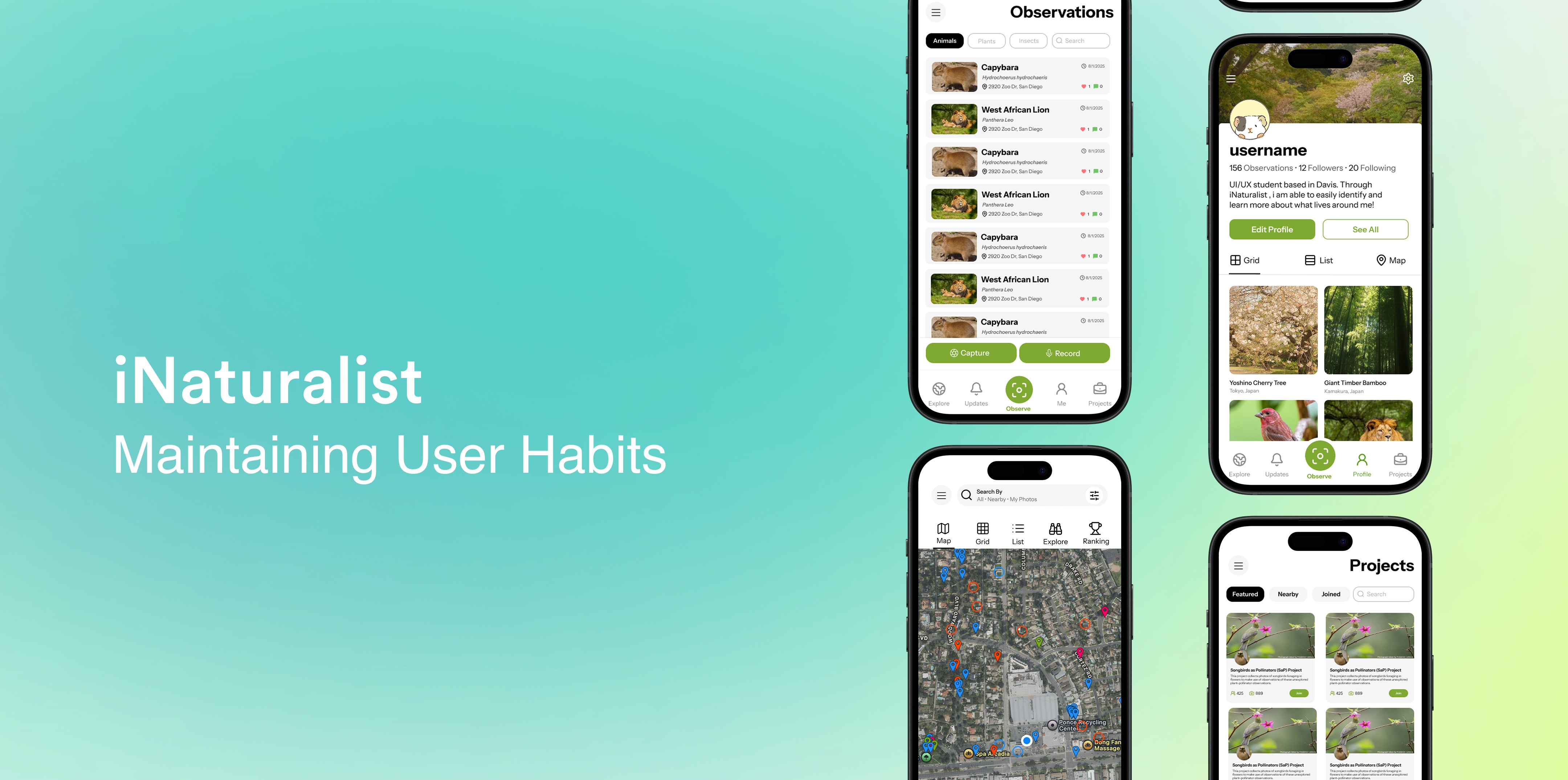
When Redesigns Break Familiarity
Humans are creatures of habit, and when familiar patterns change, frustration often follows. When iNaturalist, a wildlife identification app, launched a redesigned version to add features and a modern UI, it instead created a steep learning curve for long-time users. Drawing from over 50+ reviews and forum discussions, this case study examines how redesigns that overlook user habits can alienate communities and how thoughtful UI updates can restore usability and trust.
OPPORTUNITY
iNaturalist’s redesign added modern features but frustrated users, leading many to leave and making it harder to share wildlife.
iNaturalist’s redesign introduced modern features but drove a 20% spike in negative reviews, as long-time users struggled with confusing navigation and abandoned the app. Broken habits, cluttered visuals, and poor information architecture disrupted workflows and threatened the community-driven system that relies on user contributions.
Research
To gain a better understanding of users frustrations, I turned to the app reviews.
To understand how iNaturalist users felt about the redesign, I analyzed app store reviews and forum discussions. This research helped identify key pain points, reveal how users were adapting to the new interface, and inform the creation of user personas that represented different user types and their onboarding challenges.
Daniel Carter, a 35-year-old teacher.
A 35-year-old teacher preparing a wildlife activity for 30 students has learned the app himself but worries his class demo will be confusing. He finds parts of the interface unintuitive and unlabeled, especially the Explore section, and wants clearer labels so students can easily browse and understand observations.
James Kim, a senior highschooler.
A student using iNaturalist for a graded class project struggles with the app’s learning curve. Accustomed to clear layouts like Instagram, they find hidden menus confusing and the navigation unintuitive, which adds frustration, increases stress, and reduces engagement while trying to complete assignments.
Barry Johnson, a 60-year-old iNaturalist enjoyer.
A 60-year-old long-time iNaturalist contributor uses the app as a hobby but struggles after the redesign shifted familiar features. He prefers consistent layouts and intuitive navigation, and finds the new changes slow him down, increasing friction in his workflow and creating a need for smoother, more gradual updates for experienced users.
HMW Statement
How might we redesign iNaturalist so naturalists, teachers, and students can easily explore and share discoveries without feeling lost on the newer version?
Strategy
My Approach
Restore familiar navigation and visual cues to reduce relearning time and make the app feel intuitive again. Simplify the interface with clear labels, better grouping, and stronger visual hierarchy to reduce confusion and cognitive load. Reorganize content and workflows to match user expectations and make tasks easier to complete.
Design Decisions
Restoring Navigation
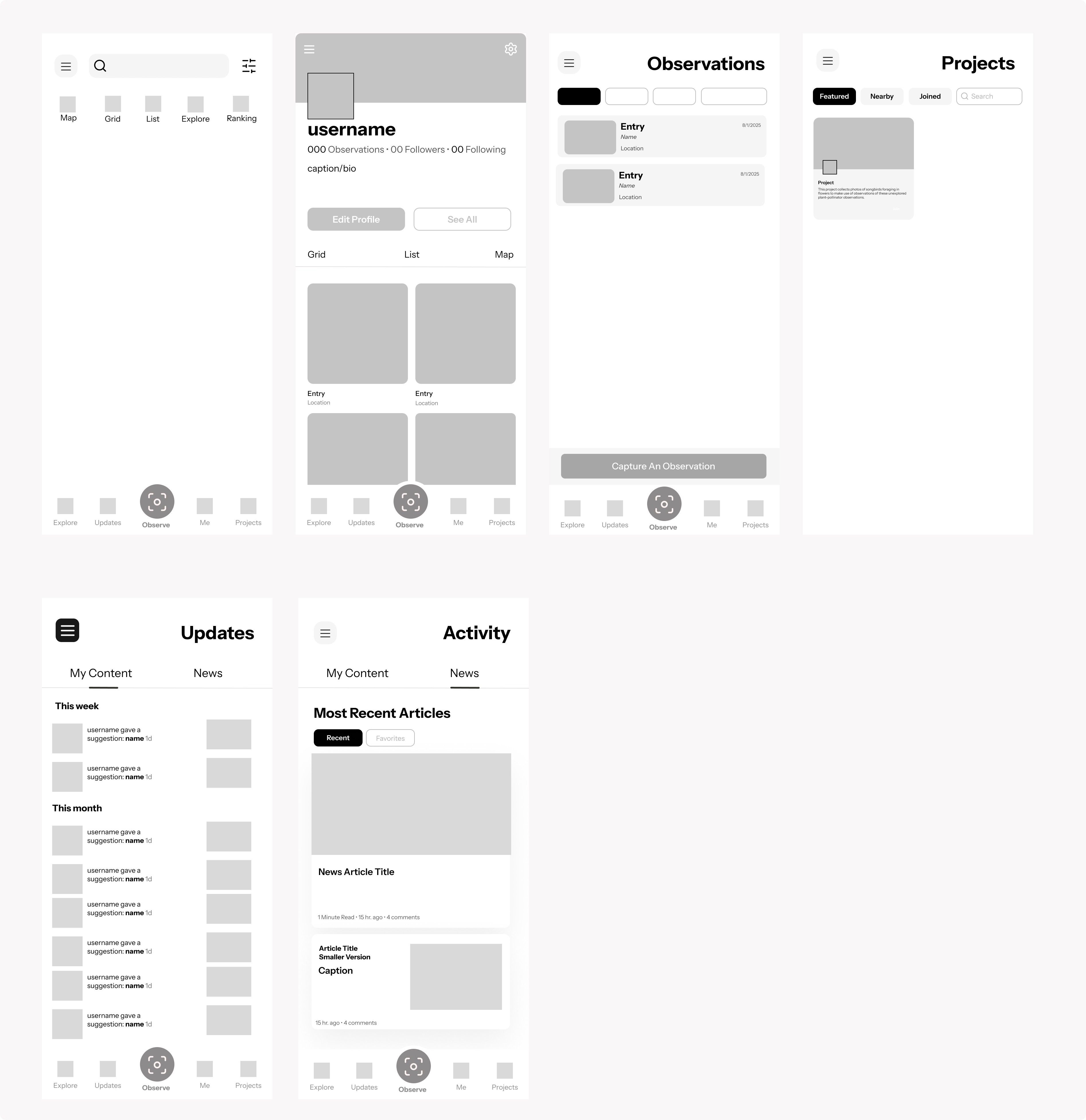
To reduce navigation friction and restore user familiarity, I reinstated the original navigation layout by returning the Projects tab to its expected position and relocating the hamburger menu to the top, aligning with common mobile patterns. I also brought back the dedicated News tab to let users access updates directly within the app without interruption.
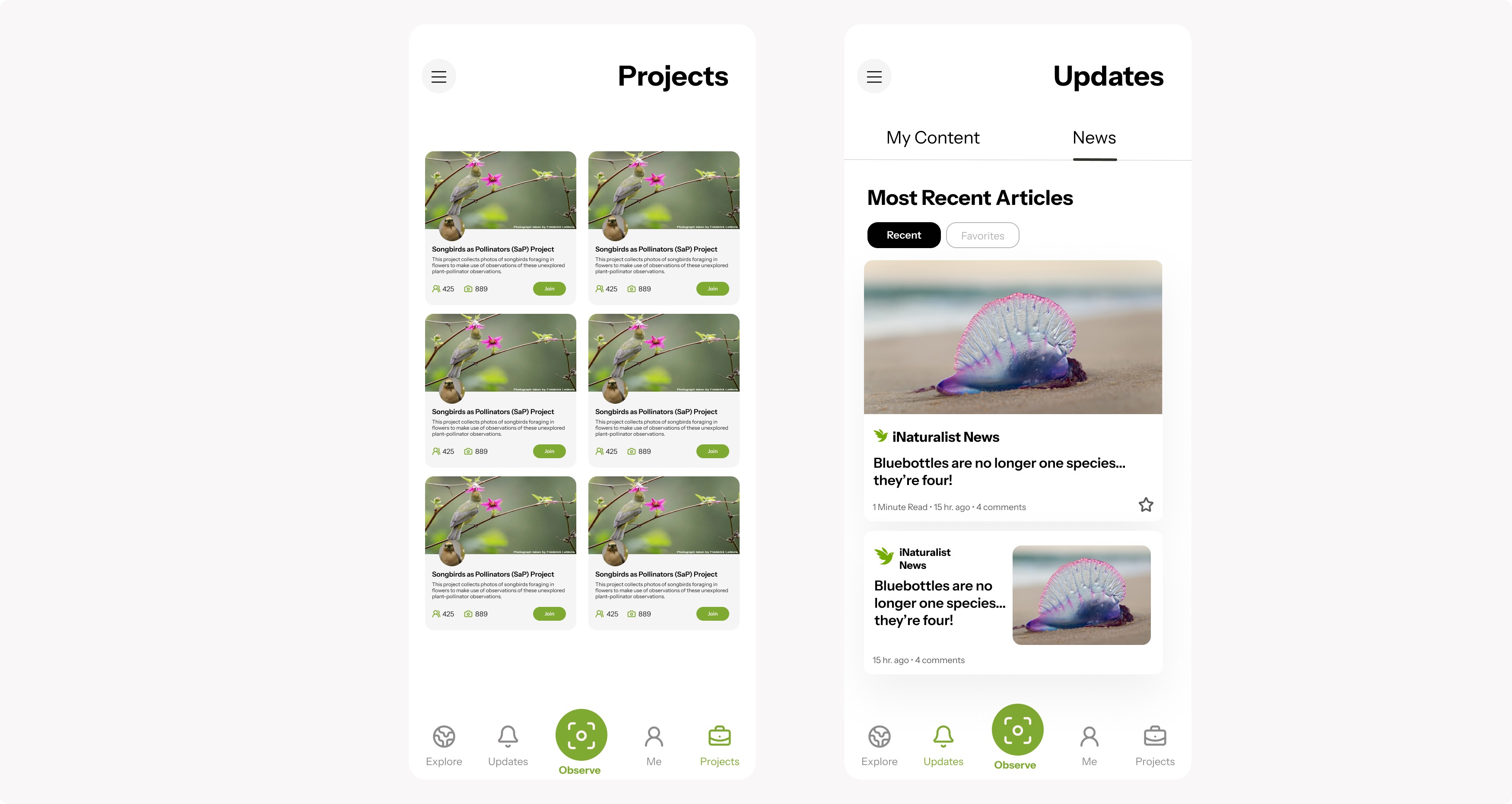
Visual Complexity and Cognitive Overload
Reduced cognitive load by clarifying button labels to remove guesswork, especially for educators guiding students. Grouped related tools into clear clusters and strengthened visual hierarchy to highlight primary actions. Reintroduced colored pin markers to improve recognition and scanability. These changes improved task speed and reduced user effort.
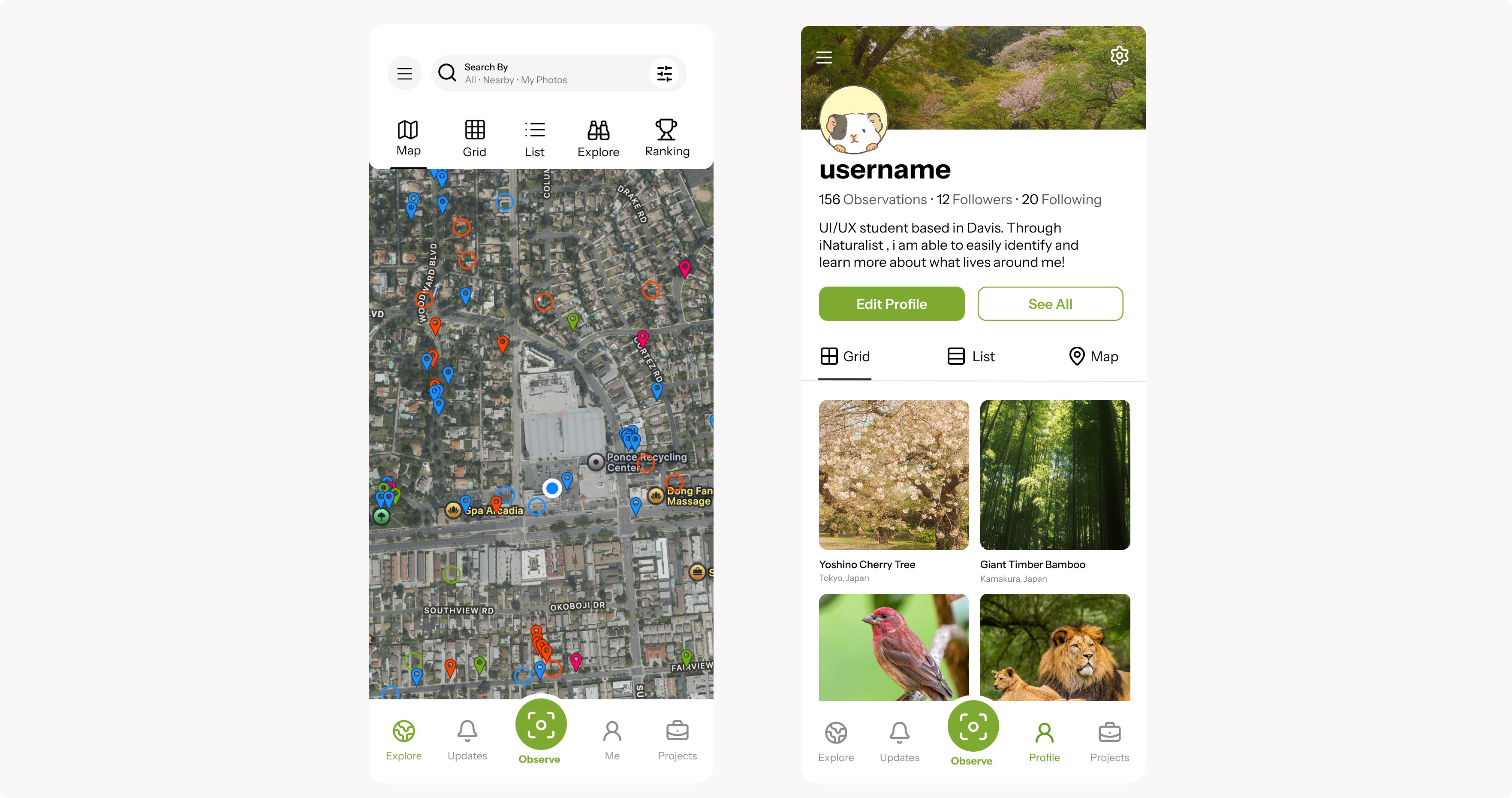
Information Architecture
To improve usability based on observations, I consolidated the workflow so users can view and create observations in one unified “My Content” space. I restored Projects to the main navigation to improve discoverability of community features. I also rebranded Activity as Updates, creating a single, clearer hub for notifications and news.
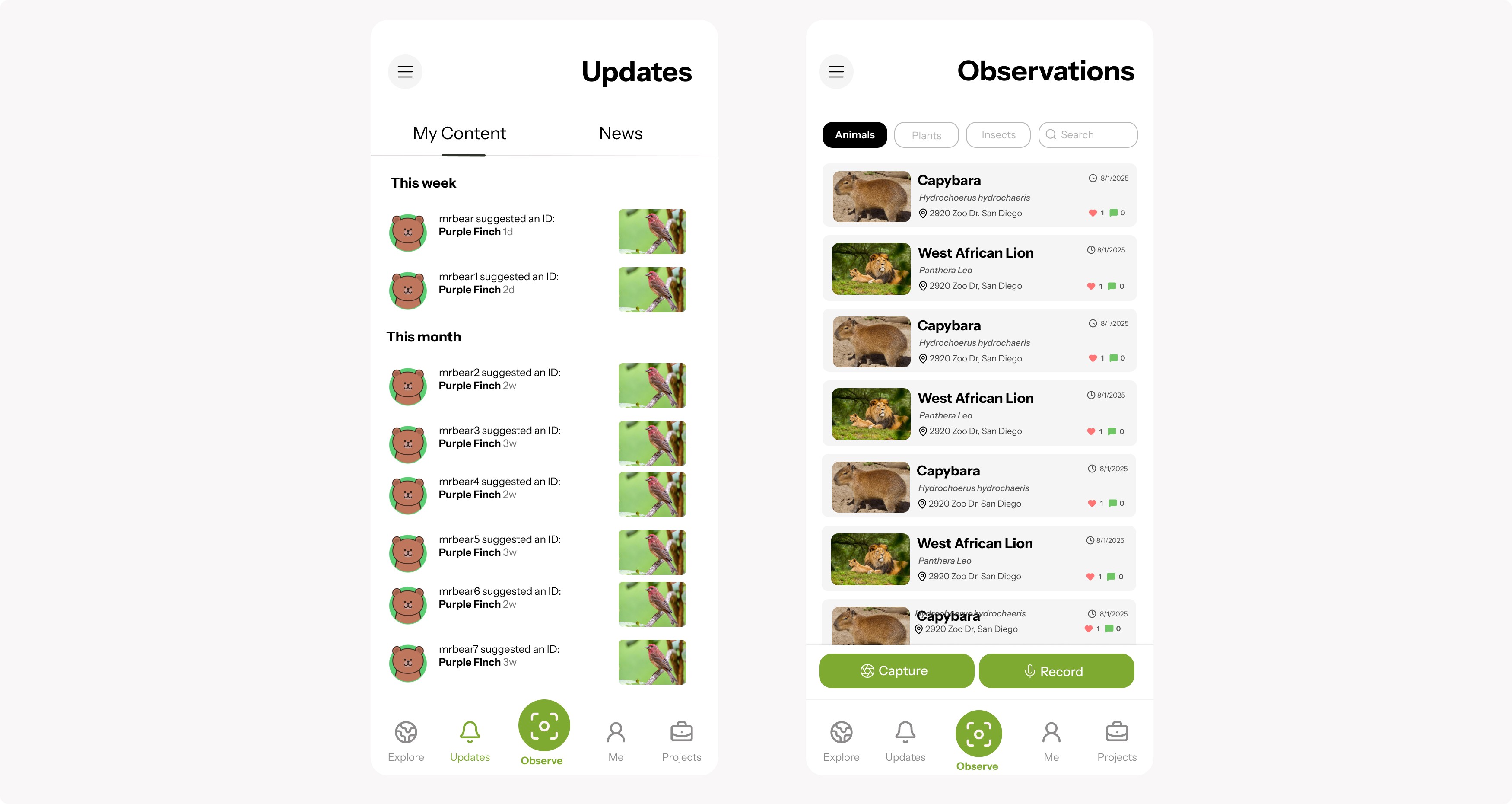
Low-Fidelity Draft
I created low-fidelity wireframes to explore ways to rebuild user trust through design. Early sketches focused on simplifying layouts, clarifying error states, and improving payment flows to address usability and reliability concerns. These prototypes helped visualize how transparency, consistency, and modern patterns could restore confidence before refining the visual design.
Reflection
Feedback through usability tests
We tested the redesigned iNaturalist with three users familiar with the old layout. They completed key tasks like recording observations, browsing posts, and checking notifications, with clearer navigation improving speed and confidence.
Users felt observation cards were too large, reducing content visibility. We reduced card size to improve information density without adding clutter. Overall, users found the updated navigation and labeling easier to learn and more efficient.
Reflection
Feedback through usability tests
We tested the redesigned iNaturalist with three users familiar with the old layout. They completed key tasks like recording observations, browsing posts, and checking notifications, with clearer navigation improving speed and confidence.
Users felt observation cards were too large, reducing content visibility. We reduced card size to improve information density without adding clutter. Overall, users found the updated navigation and labeling easier to learn and more efficient.
Importance of familiarity when redesigning an app.
august 31, 2025