Waitlist signups
100+UC Davis students have signed up to be first noticed and access about the launch of FindMyLab’s first beta
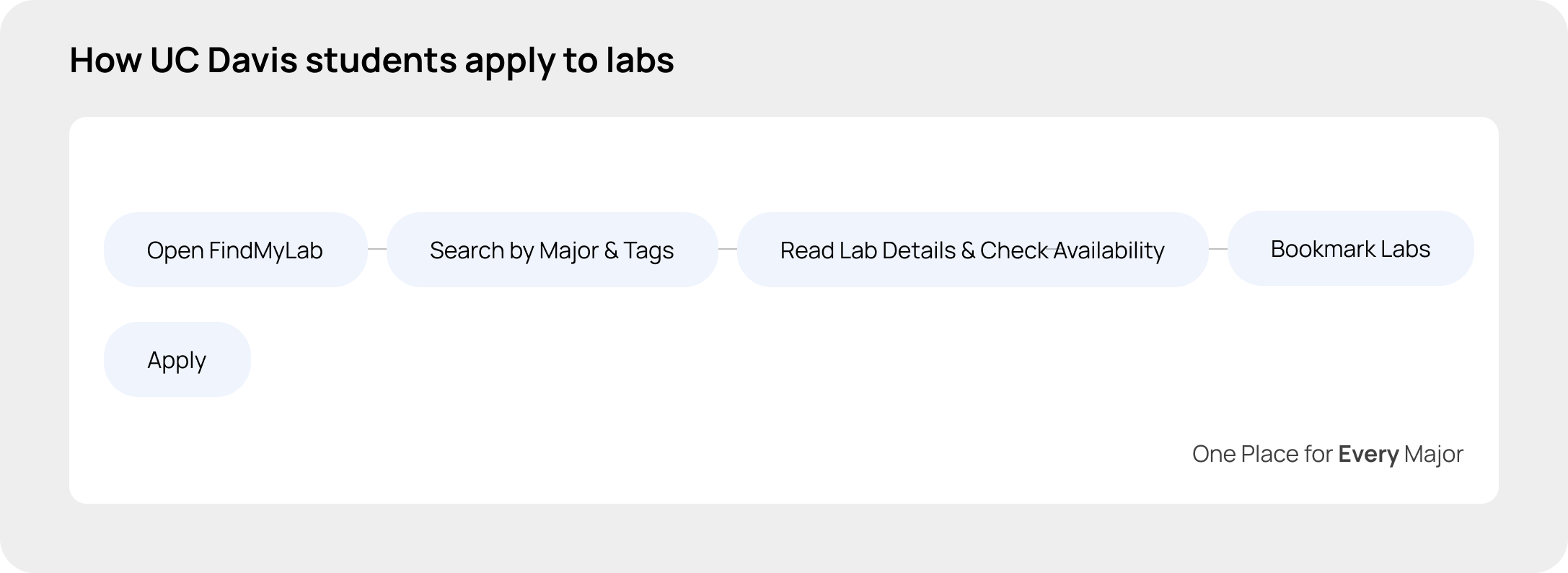
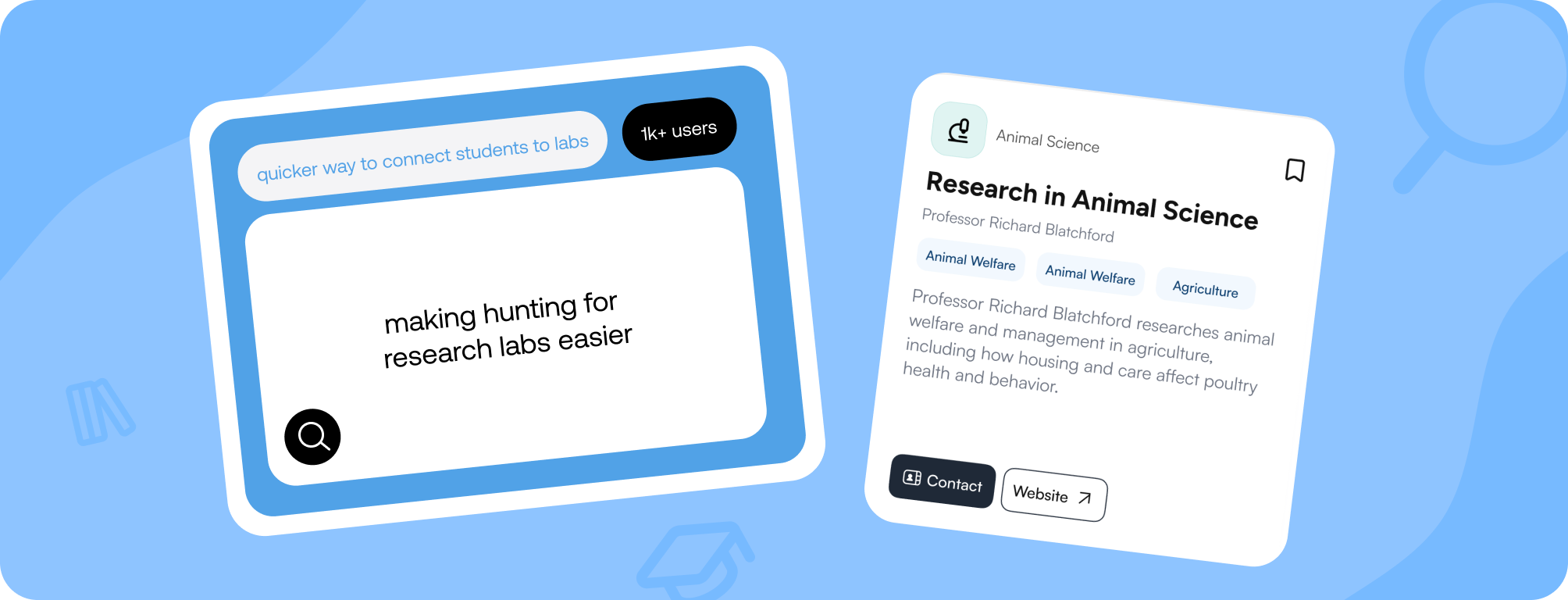
A 100+ person waitlist from Instagram and flyers grew into 1,000+ users and 300 listed labs within weeks of public launch. In testing, students built a list of relevant labs in 1–2 minutes, vs. 3–5 minutes on department websites. We paused FindMyLab before fall recruiting, so we never tested whether students would return when they were actively applying.
UC Davis students have signed up to be first noticed and access about the launch of FindMyLab’s first beta
Students used and attempted to browse and plan for their next research lab to apply
Problem
Students without connections or cold-outreach experience struggle to find research labs. Listings are scattered across faculty pages and informal networks. Professors, meanwhile, are behind on email because so many students are writing to ask about lab positions.
Ideation & Pivot
We initially built for professors, but low adoption led us to pivot toward students, a larger and more accessible user base.

A triage tool for professors, an Airtable-style view for sorting the flood of student applications within the professor’s inbox, and a way for student to apply directly to the tool.

What we learned: our outreach form got few quick responses, and professors told us their inboxes were already backed up with student emails. In conversations with about 5 professors, most liked the idea, but the main concern was having to learn a new tool, especially for those less comfortable with technology.

Pivot: with about 2,000 faculty and 40,000 students, students were a much larger audience and far easier to reach through flyers, tabling, and club forms. A professor tool also depended on faculty changing their habits. We moved entirely to the student side, which is why everything after this starts from how students search.
Discovery
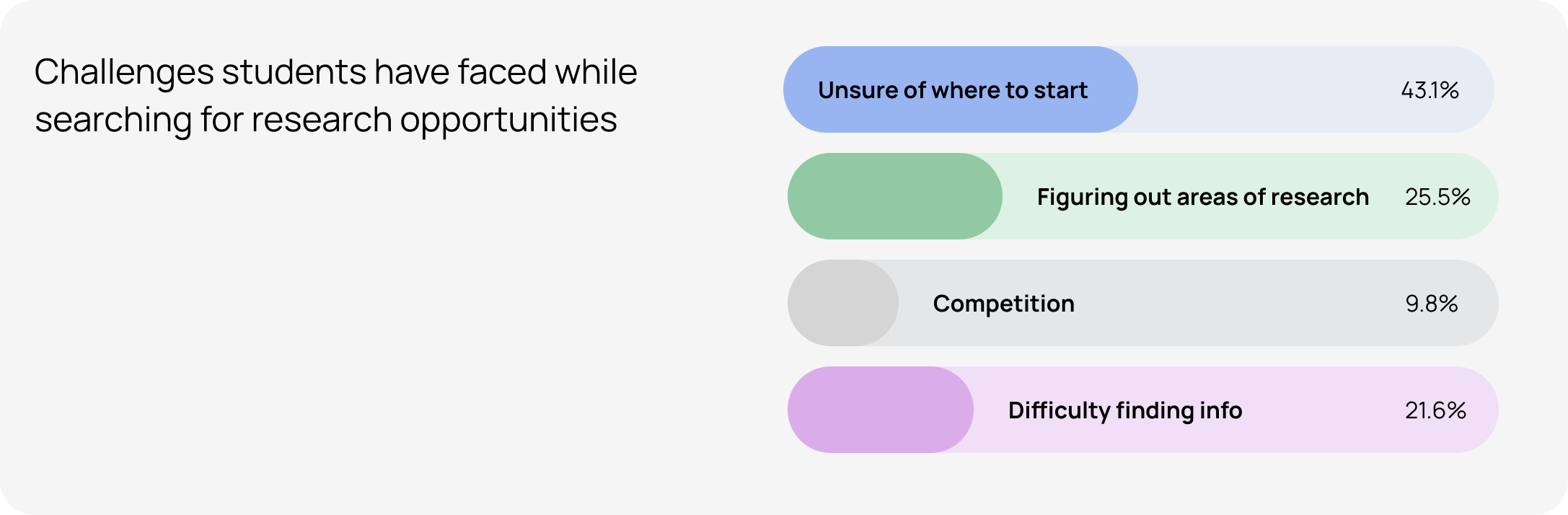
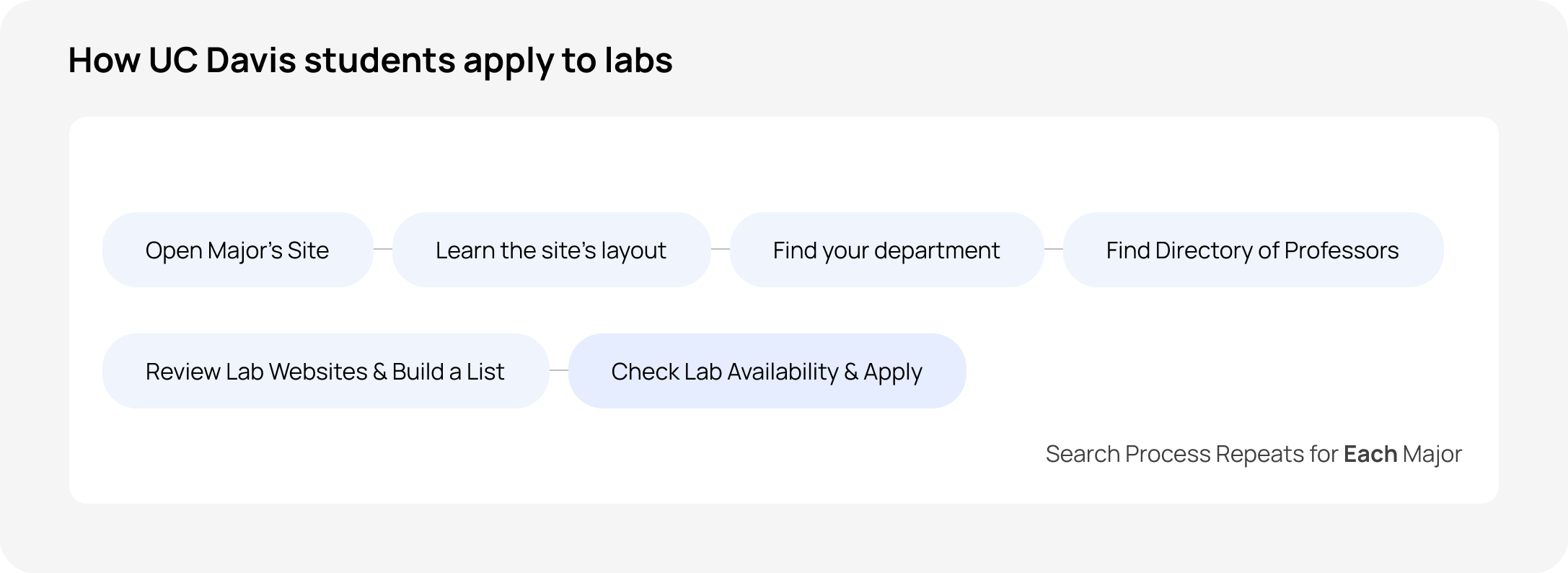
We surveyed 200+ students, interviewed about 20, and watched 10–12 search for labs. We found two kinds of students, a tedious search process, and no way to tell whether a lab is open.
Design
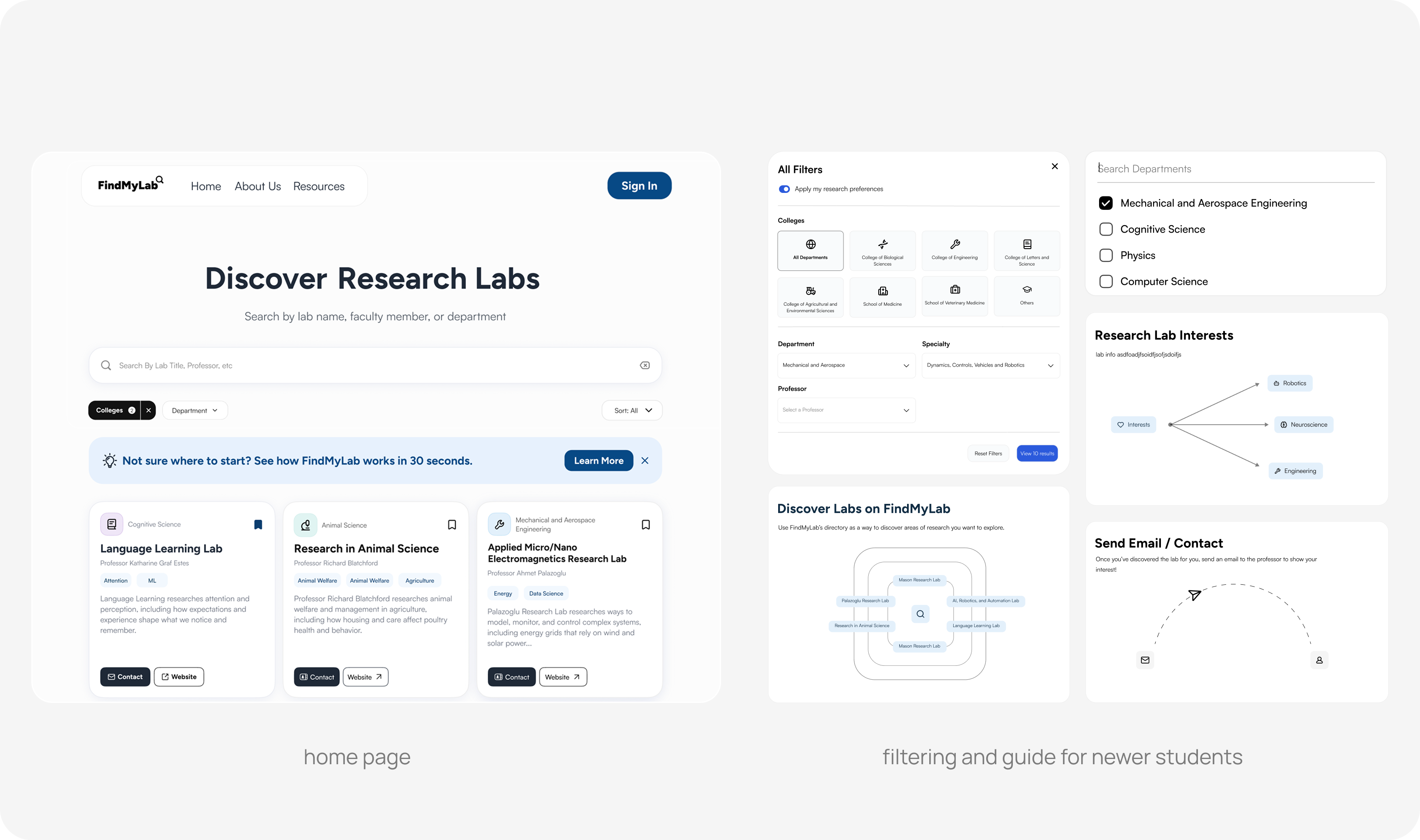
Early lab cards showed only the title, professor, major, and a website link, but students still had to open each lab's site to read what it actually studied. We added a one-line caption to bring that reading step onto the card, and a major icon to spot a lab's field at a glance. Because labs in the same major can vary a lot, we added research tags so students could browse and search by topic instead of by department alone.

Design
The lab card provides students with essential information to evaluate a research opportunity at a glance. Key details are simplified and organized directly on the card, while features like major-based tags and additional lab information support deeper exploration further down the hierarchy.
Design
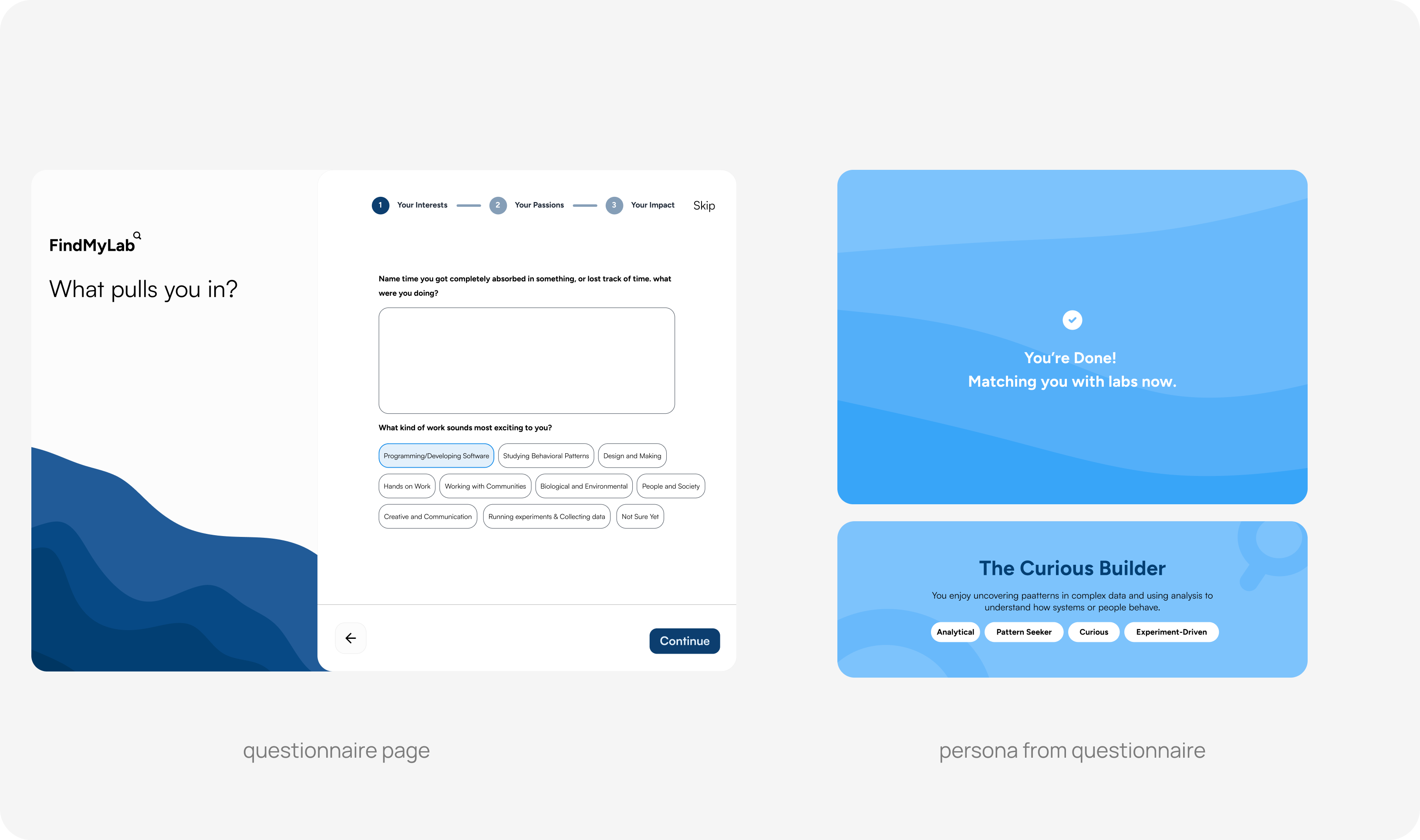
Instead of requiring research buzz words, students described their interests in three optional questions. AI would use their responses to suggest relevant labs, with plans to evolve the system into tag-based matching and directory search as we learned what worked for students.
Results
A 100+ person waitlist from Instagram and flyers turned into 1,000+ users within weeks of public launch.


Reflection
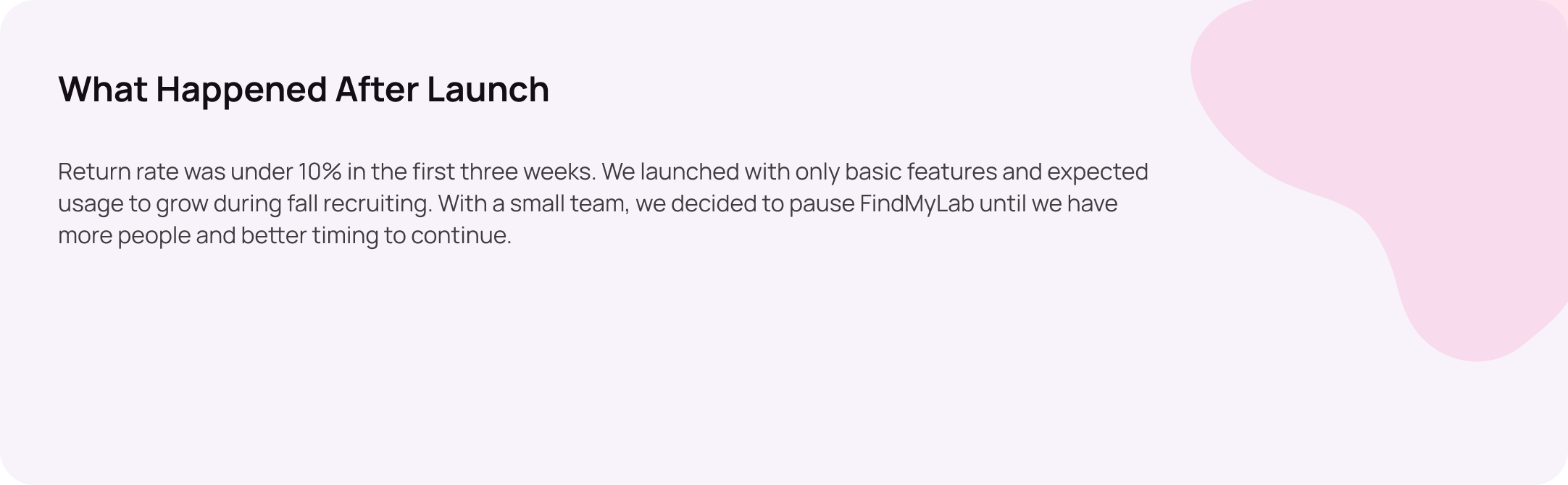
I’d research the professor and student sides in parallel to reach the student pivot sooner, giving us time to launch with the matching questionnaire. That would have shown whether matching brings students back, and whether low return came from timing or the product itself.